How to Withdraw Money from Olymp Trade in Kenya (Step-by-Step M-Pesa Guide)
You made money on Olymp Trade. Now you want it in your M-Pesa wallet. The problem? Most guides skip the parts that actually get people stuck: the KYC roadblock, the “same method” rule, the Skrill middleman, and why some withdrawals sit pending for days while others land in minutes.
This guide cuts through all of it. Here is exactly how to withdraw money from Olymp Trade in Kenya, what it costs, how long it takes, and what to do when something goes wrong.
TL;DR: Olymp Trade Withdrawal in Kenya at a Glance
- Method: M-Pesa (direct) or M-Pesa via Skrill as intermediary
- Minimum withdrawal: $10 (roughly KES 1,300)
- Olymp Trade fees: Zero. Olymp Trade charges nothing to withdraw
- M-Pesa/Skrill fees: Skrill charges 1% if you route through it; M-Pesa standard transaction fees apply
- Processing time: Most requests done within 24 hours; up to 5 business days in rare cases
- KYC required: Yes, before your first withdrawal
- Key rule: Withdraw using the same method you deposited with
What You Need Before You Even Think About Withdrawing
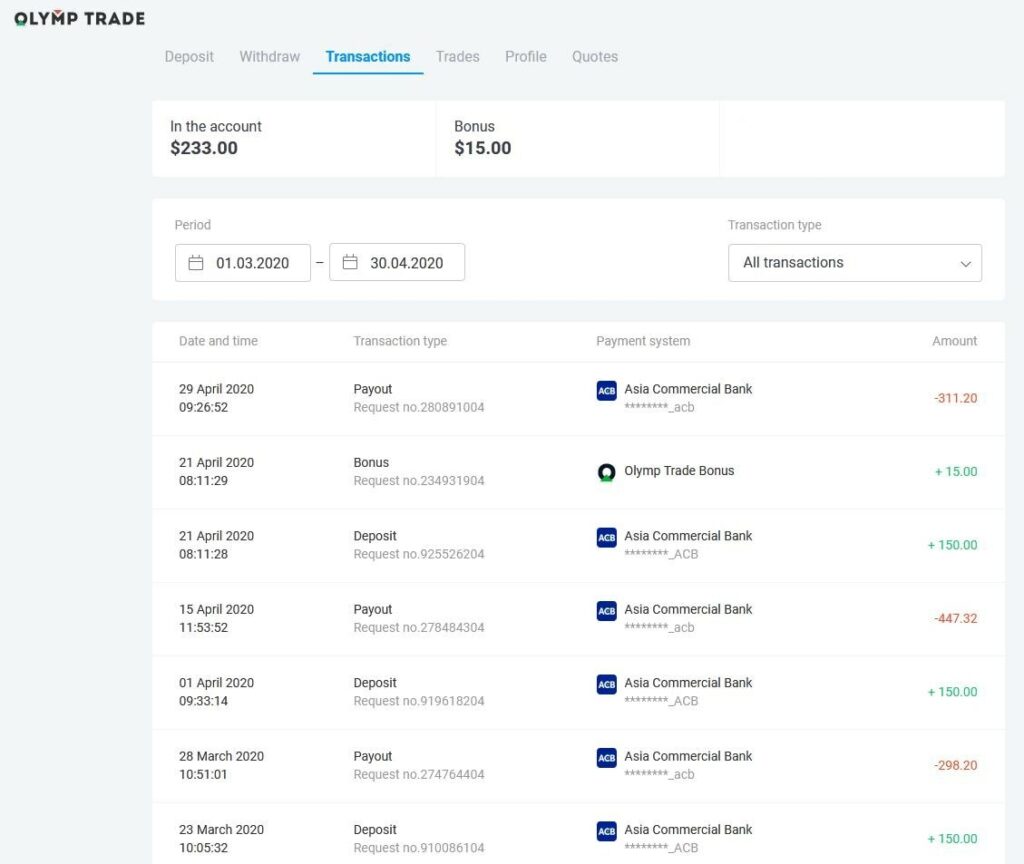
Before you hit that withdraw button, make sure these three things are already sorted. Skip any of them and your withdrawal will be delayed or blocked outright.
1. A verified trading account (KYC)
Olymp Trade is regulated by the International Financial Commission and has strict anti-money laundering (AML) obligations. That means no verification, no payout. Full stop.
The KYC process requires:
- A valid government-issued ID (National ID card, passport, or driver’s license)
- A 3D face scan or selfie with your ID
- Proof of ownership for your payment method in some cases
Verification takes up to 24 hours after you submit your documents. Do this the moment you sign up, not after you have money sitting in your account waiting to come out.
2. A funded M-Pesa or Skrill account linked to your Olymp Trade account
Here is the rule Olymp Trade enforces without exception: you must withdraw using the same method you used to deposit. Deposited via M-Pesa directly? You withdraw to M-Pesa. Deposited via Skrill? You withdraw to Skrill first, then transfer to M-Pesa. There is no way around this. It is an anti-fraud and AML requirement.
3. A real account balance (not bonus funds)
Trading bonuses on Olymp Trade are virtual money. They are there to increase your position sizes, not to be pocketed. You can only withdraw profits generated from trading, not the bonus balance itself. This catches a lot of new traders off guard.
Olymp Trade Withdrawal Methods Available in Kenya
Kenyan traders have two main Olymp Trade withdrawal methods to work with:
- Direct M-Pesa withdrawal (fastest and simplest option if you deposited via M-Pesa)
- Skrill e-wallet, then transfer to M-Pesa (common for traders who deposited through Skrill)
Bank transfer options exist but are less commonly used and take longer, typically 2 to 5 business days. M-Pesa remains the dominant Olymp Trade payment option for Kenyan traders for a reason: it is fast, familiar, and accessible without a traditional bank account.
Step-by-Step: How to Withdraw from Olymp Trade to M-Pesa in Kenya
Method 1: Direct M-Pesa Withdrawal
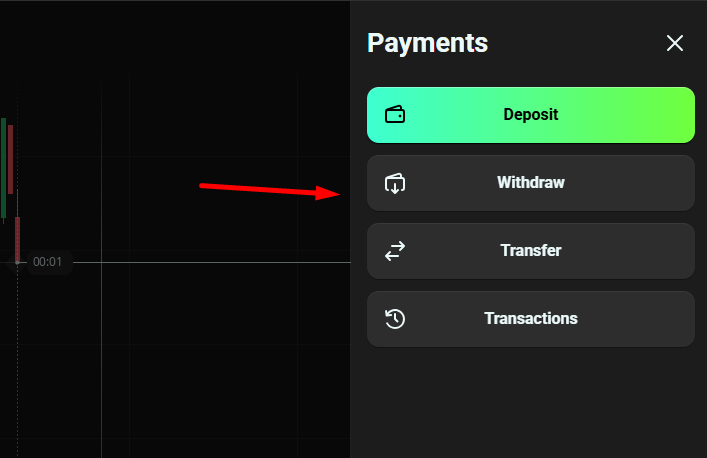
This applies if M-Pesa was your deposit method.
Step 1. Log in to your Olymp Trade trading account on the website or mobile app.
Step 2. Click the deposit/balance button at the top right of the screen. On the payments page, select “Withdraw.”
Step 3. The platform will display your available balance and the eligible withdrawal methods. M-Pesa will appear here if it was your last deposit method.
Step 4. Enter the amount you want to withdraw. Remember: the minimum is $10 (approximately KES 1,300). There is no upper daily limit set by Olymp Trade, though requests over $2,000 may be reviewed for security.
Step 5. Enter your M-Pesa phone number in the international format: 254XXXXXXXXX (drop the leading zero, add 254).
Step 6. Confirm the request. You will receive an email and an in-platform notification that your withdrawal is in progress.
Step 7. Wait. Most Olymp Trade withdrawals in Kenya process within a few hours to one business day. In rare cases, it can take up to 5 business days.
Method 2: Withdrawal via Skrill to M-Pesa
This applies if Skrill was your deposit method.
Step 1 to 5 are the same as above, except you select Skrill as your withdrawal method and provide your Skrill account email instead of your phone number.
Step 6. Once Olymp Trade processes the request (usually within 24 hours), the funds land in your Skrill e-wallet.
Step 7. Log in to Skrill. Click “Withdraw,” then select “Mobile Wallet.” Choose M-Pesa, enter your Safaricom number, and confirm.
Note on fees: Skrill charges a 1% processing fee when you transfer from Skrill to M-Pesa. Olymp Trade itself charges nothing, but this intermediary cost is unavoidable if Skrill is your route.
Olymp Trade Withdrawal Fees and Limits in Kenya
Here is a clean breakdown so there are no surprises:
| Detail | Amount |
|---|---|
| Olymp Trade withdrawal fee | KES 0 (free) |
| Minimum withdrawal amount | $10 (approx. KES 1,300) |
| Maximum withdrawal per day | No limit set by Olymp Trade |
| Skrill-to-M-Pesa transfer fee | 1% of amount |
| M-Pesa standard transaction fees | Apply per Safaricom rate card |
| Large withdrawal review threshold | $2,000+ may be reviewed or split |
The zero-fee policy from Olymp Trade is a genuine competitive advantage. Most traders only encounter costs at the M-Pesa or Skrill end, not from the platform itself. If you were ever charged a withdrawal fee directly by Olymp Trade, that was an error worth reporting to support.
How Long Does Olymp Trade Take to Withdraw in Kenya?
The honest answer: it depends on your account status and payment method.
- Verified account, M-Pesa direct: Typically a few hours to 24 hours
- Standard account, any method: Up to 3 business days
- Expert/Advanced account status: Top priority processing, often within hours
- Bank transfer: 2 to 5 business days
Over 90% of Olymp Trade withdrawal requests are processed within one trading day. The outliers are almost always tied to incomplete KYC, mismatched payment methods, or requests submitted over weekends and public holidays.
Pro tip: Submit your withdrawal request during weekday business hours. Even though Olymp Trade processes requests quickly internally, your bank or M-Pesa gateway adds its own layer of processing that slows down on weekends.
KYC Verification: The Step Most Kenyans Get Wrong
This is where most Olymp Trade withdrawal problems in Kenya originate. People deposit, start trading, make profit, and then discover their account is not verified when they go to withdraw. Now they are waiting 24 hours for KYC approval before they can even start the withdrawal process.
Do not do this.
Complete your KYC immediately after registration. Here is exactly what Olymp Trade requires:
- Step 1: Log into your account and navigate to the verification section
- Step 2: Choose your document type: National ID card, passport, driver’s license, or residence permit
- Step 3: Upload clear photos or scans of the front and back of your document
- Step 4: Complete the 3D face scan (a short selfie process within the app or platform)
- Step 5: Wait up to 24 hours for approval
Once verified, it is done permanently. You will not repeat this process for future withdrawals.
Common Olymp Trade Withdrawal Problems and How to Fix Them
Problem: Withdrawal is stuck on “pending” for more than 3 days
Most likely cause: Incomplete KYC or a mismatch between your deposit and withdrawal method. Double-check both. If both are correct, contact Olymp Trade support with your transaction ID and proof of ownership for the payment method you are using.
Problem: M-Pesa is not showing as a withdrawal option
This happens when M-Pesa was not your most recent deposit method. Olymp Trade only allows withdrawal to the last funding source used. If you deposited via a different method last time, you need to withdraw to that method first.
Problem: Withdrawal request is rejected
Check three things: (1) Is your account fully KYC-verified? (2) Are you trying to withdraw bonus funds? (3) Does your phone number match the M-Pesa account linked to your profile?
Problem: Money arrived in Skrill but you cannot get it to M-Pesa
Log in to Skrill and navigate to “Withdraw,” then “Mobile Wallet.” Make sure your M-Pesa number is already registered with Skrill. If it is your first time, Skrill may ask you to verify your number first, which adds a short delay.
Problem: Currency conversion confusion
Olymp Trade accounts are typically denominated in USD. When you withdraw to M-Pesa, the conversion to Kenya Shillings (KES) happens at the current exchange rate. There is no way to control this rate, but it is transparent at the point of withdrawal.
Is Olymp Trade Withdrawal Reliable in Kenya?
This is the trust question every Kenyan trader eventually asks. Here is the direct answer: yes, with conditions.
Olymp Trade is regulated by the International Financial Commission (IFC), which sets financial standards and requires transparency in payouts. The platform has over one million users in Kenya and a track record of processing withdrawals without systemic issues.
The cases where withdrawals fail or are delayed almost always trace back to user-side issues: unverified accounts, mismatched payment methods, or attempts to withdraw bonus funds. When the process is followed correctly, the Olymp Trade payout time in Kenya is competitive with other online trading platforms.
If a withdrawal genuinely fails after five business days and your account is fully verified, escalate to Olymp Trade support via live chat or email with your transaction ID. They have 24/7 customer service and the IFC as a regulatory backstop if disputes arise.
Quick Action Checklist Before Your First Withdrawal
- Complete KYC verification immediately after registration
- Deposit and withdraw using the same method consistently
- Use M-Pesa direct if possible (faster, no Skrill 1% fee)
- Enter your phone number as 254XXXXXXXXX, not 07XXXXXXXX
- Withdraw only real trading profits, not bonus balances
- Submit requests on weekdays for fastest turnaround
- Keep your transaction ID from every withdrawal request
Get these right and the Olymp Trade withdrawal process in Kenya is straightforward. Get them wrong and you will be chasing support for days on money that was always yours to take out.
Read also: